
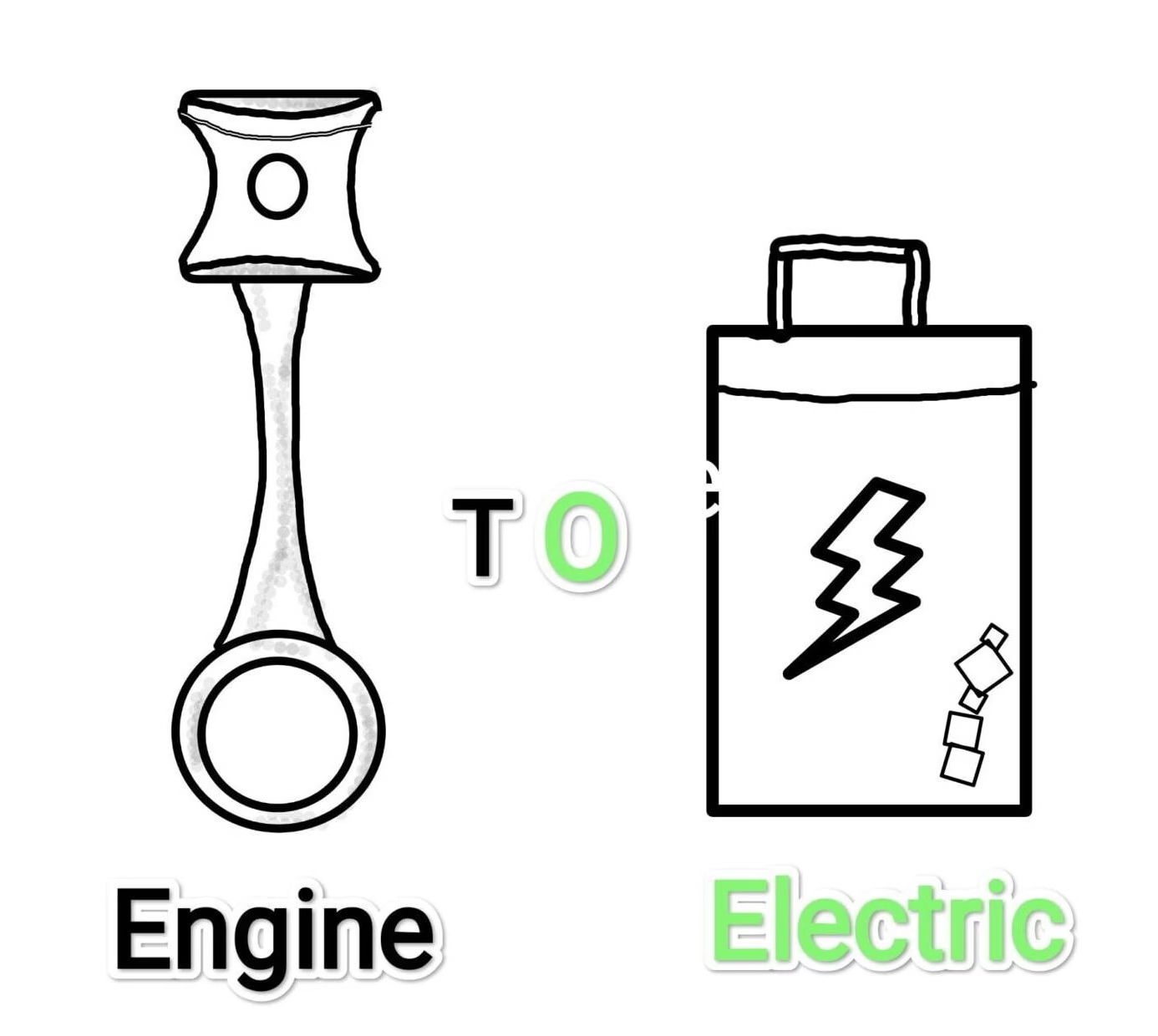
Ather Rollout their new update on mobile app, Now you can manage Remote charging and Remote shutdown with new features updated.
The Ather is always update with its new and helpful features, whatever they introduced new features always easier to control and drive it’s electric scooter.
Ather Mobile App Update
Now updating mobile app version 12.3.0 on this version company provide new cool features like Remote Charging and Remote Shutdown

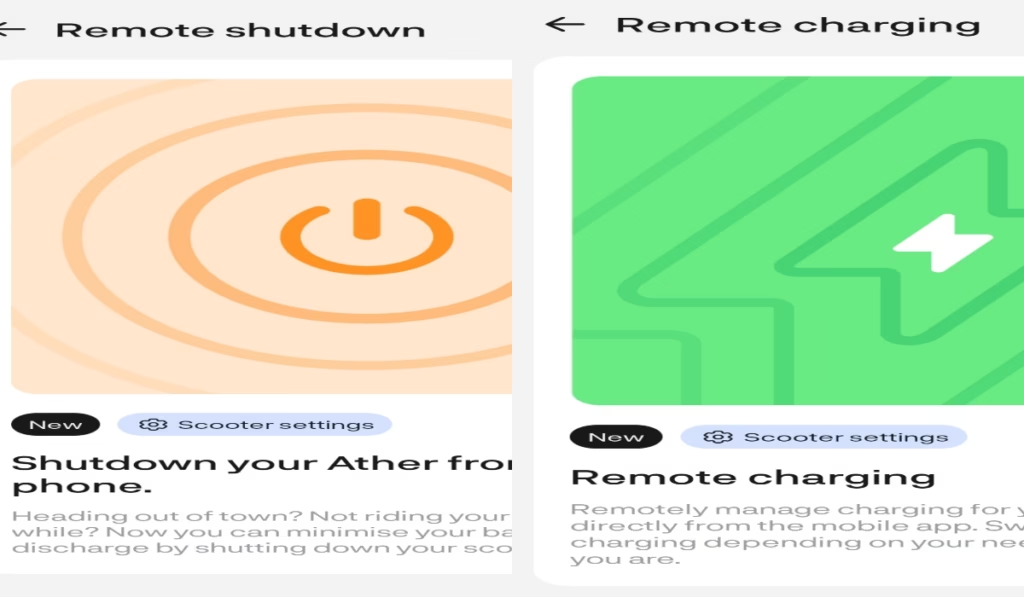
Remote Charging
Remote mange charging is very useful if you are not at home or not available to switch off to discontinued charging then you use this feature.
This feature allow you switch on or switch off charging by using this feature, charger is locked on vehicle so no warriors about losing it. Remote charging is works with Ather Dot charger, Ather Portable Charger and Ather Neighborhood Charging.
How To Use The Remote Charging Features? Guide (Step By Step)

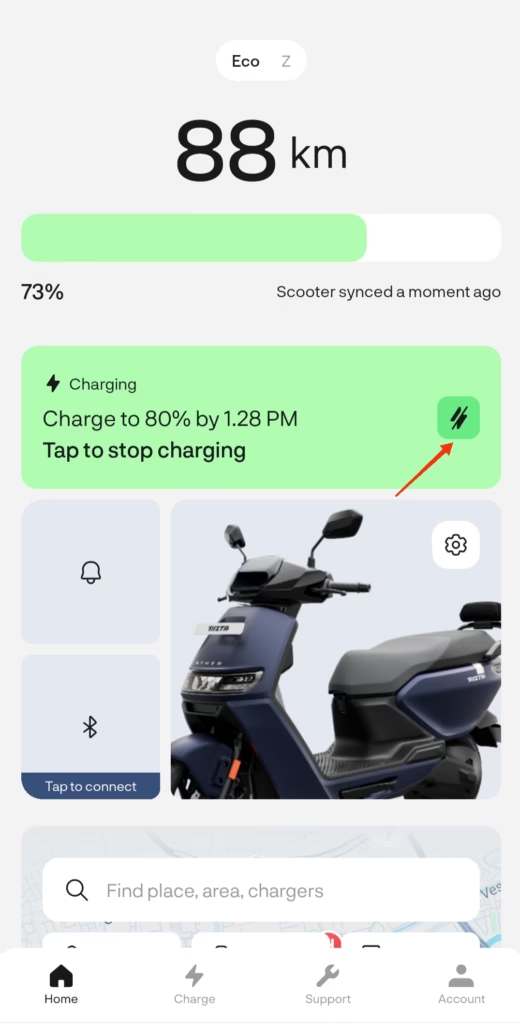
- First you install Ather app in your mobile phone. (Android or ios)
- Connect your scooter with Ather app.
- Now charging option available when your scooter connected with charger or when charging is start.
- Click on right side shown in image.(click on red arrow detected)

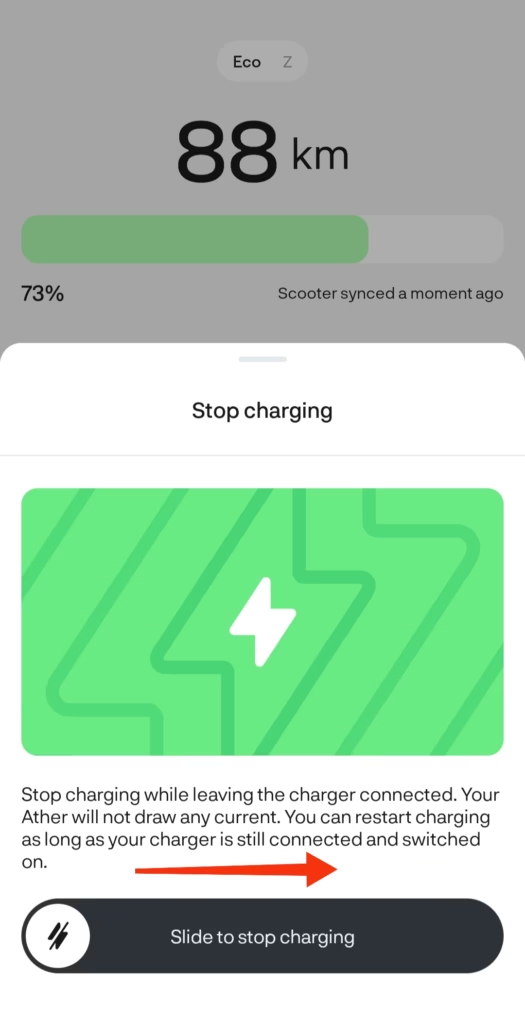
- Slide right to stop charging.
- Now your charging is stop, but you need to remove charger manually
Remote Shutdown
If you are plan to going trip or outside your home then you remotely shutdown your scooter easily.
Battery is decrease in night time almost 2 to 4%, if you not drive scooter more days you can just shutdown your vehicle using app, so your battery decreasing stop.
How To Use The Remote Shutdown Features? (Step By Step)
- After install Ather mobile app you click on scooter settings.

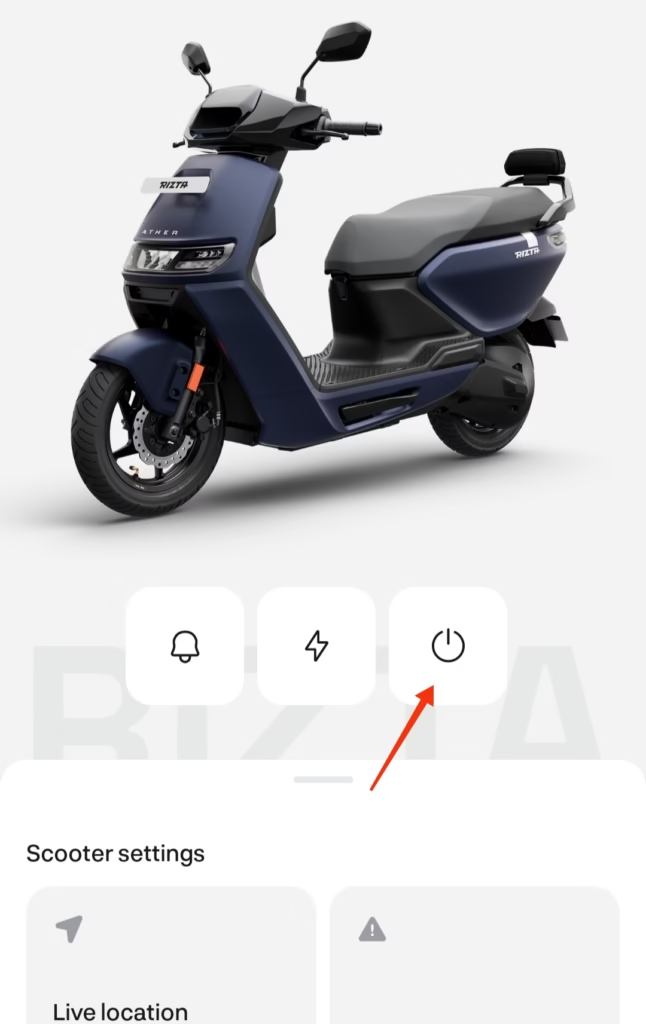
- Select third option as Red arrow indicate on image.

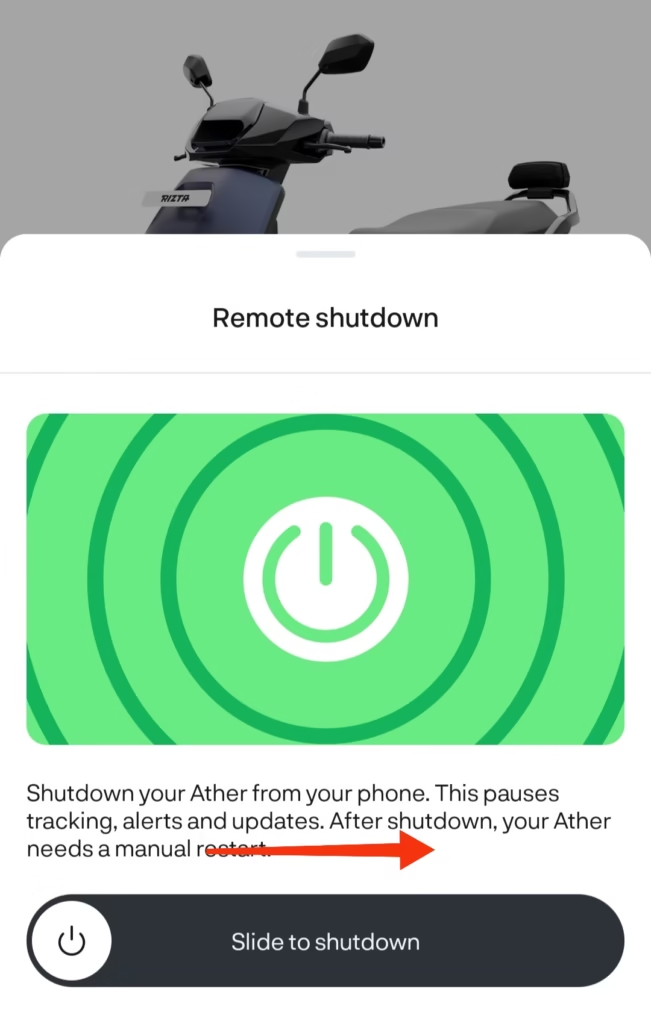
- Slide left to right for shutdown Ather scooter.
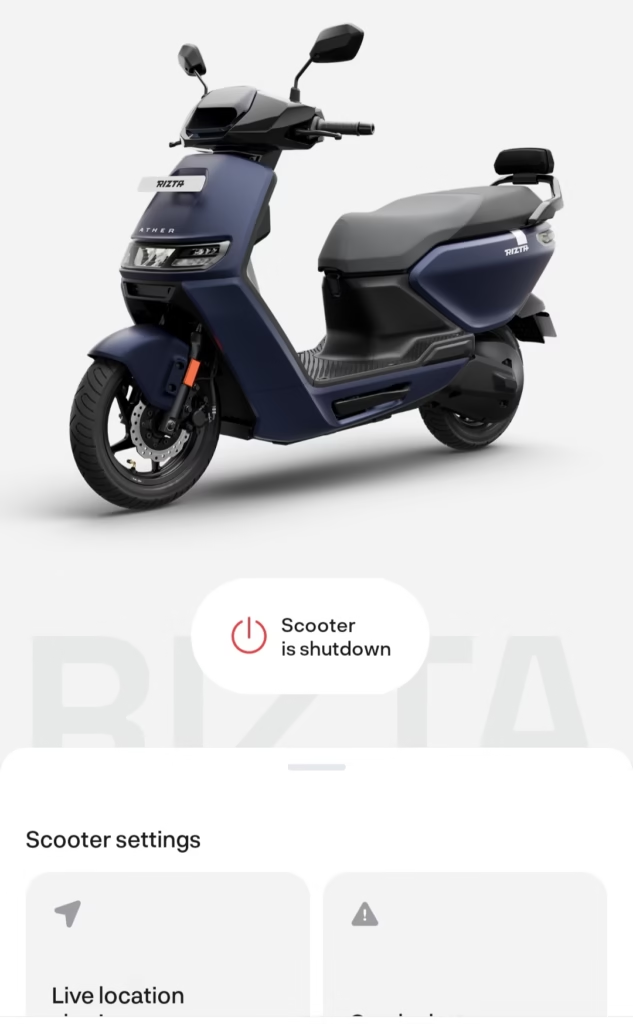
- Once shutdown complete below image show that your scooter has been shutdown.

- If you want to start scooter than insert key manually in scooter then key on to start your Ather scooter.
Supported Models
Remote charging and remote shutdown is mostly supported in top- models from Ather, likely Ather 450x and Rizta Z models support this udate, older 450 or 450s may not support this update. May be in future update support.
Pros Of New Features
- Switch off when electricity is unstable and you being not near the scooter.
- If you are not near the scooter and forgot to unplug charger than you may use these featured
- Easily Switch off when avoids unnecessary charging.
- Peace of mind that you don’t know about charging switch on or off.
Cons Of New Features
- Without internet this feature not useful.
- So network connection is must be and proper working.
- This Feature working in subscription base, like Ather connection subscription.
- some times poor connection or Ather server down you can’t control charging and shutdown feature.
FAQs.
Remote Charging options roll out step by step on every cities, but you have not subscribe Ather service subscription pakage you don’t eligible for this update.
Mostly Top Models of Ather are supports this, Ather Rizta Z And 450S Models support.
Go to settings option click on stop charging option and swipe right to stop charging.
In the past they introduced touch display in Ather Rizta Z+ variant, Just using updating vehicle on Ather Stack 6 to Ather Stack 7.0.1, Now we can easily touch 7″ Display for use of maps, connectivity and other features, All features using before on Joystick it’s very hard to operate, so company provide helpful touch display for smooth performance. Ather stack is open source software like google Android, easy to use.