
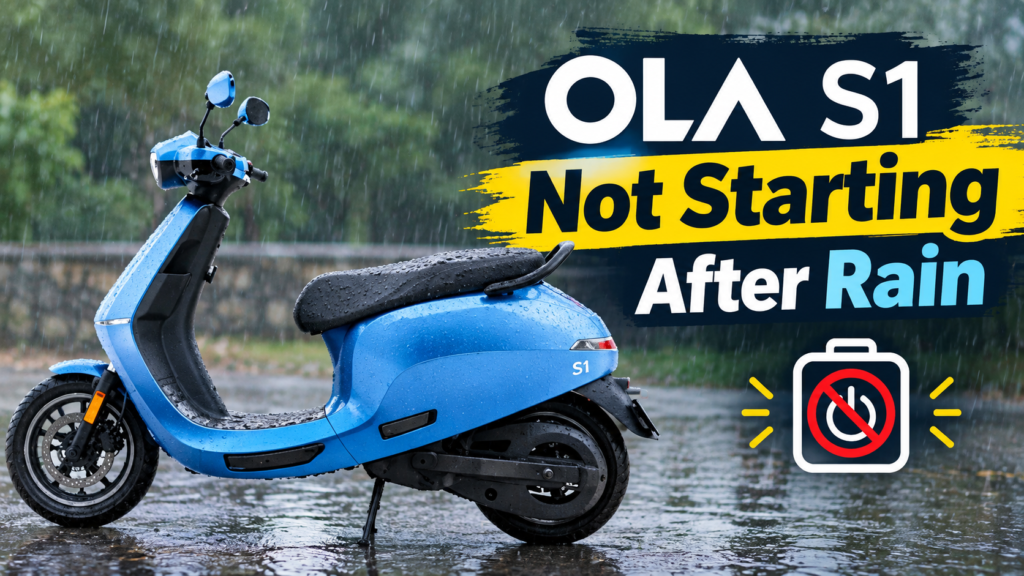
Did your Ola S1 stop starting after rain? You are not alone. Many riders face this. It can feel scary at first. Your scooter worked fine. Then it rained. Now it won’t wake up.
This guide is long on purpose. It solves the problem in full. It explains why this happens. It gives you real steps, not guesses. It also shows you how to stop it from happening again.
Quick Fix Summary
Short on time? Start here. Try these steps in order.
- Dry the scooter fully. Give it 20 to 30 minutes in a dry spot.
- Check the brake lever. Make sure it’s not stuck.
- Check the charging port. Make sure it’s dry.
- Open the Ola app. Look for alerts or a restart option.
- Wait a bit longer. Then try the power button again.
- Still stuck? Call Ola’s help line.
Keep reading for the full guide. It covers each step in depth. It also covers deeper causes, service center steps, and how to prevent this next time.
Is This A Common Ola S1 Problem?
Yes, it is fairly common. Riders share this issue on Ola’s own forum. It also comes up on rider forums like Team-BHP. Some owners saw a blank screen after rain. Others saw the scooter shut off mid-ride. A few needed help from Ola support to fix it.
This does not mean every Ola S1 will face this. But it is a known pattern. You’re dealing with a real issue. Not a rare fluke.
What “Not Starting After Rain” Usually Looks Like

This issue shows up in more than one way. Here are the common patterns riders report.
A blank or dead display. You press power. Nothing lights up. The dash stays dark, as if it has no power at all.
The power button does nothing. The dash may light up. But the scooter won’t move past the start screen.
The scooter turns on, but won’t drive. This one is odd. The dash works. Lights turn on. But the throttle does nothing.
A sudden shutdown while riding in rain. The scooter turns off mid-ride. It may restart on its own. Or it may need a full reboot once you stop.
The charging light doesn’t respond. You plug it in after a wet ride. No light. No sign it’s charging.
Match your case to one of these. It will help you jump to the right fix below.
Quick Guide: Symptom, Likely Cause, Where To Look
| What You See | Likely Cause | Where To Check First |
|---|---|---|
| Blank display, no lights at all | Deep water reached the main power path | Charging port, main harness |
| Dash on, but won’t move into ride mode | Brake lever safety lock | Brake lever, brake switch |
| Dash on, throttle does nothing | Sensor or connector affected by water | Motor connectors |
| Shuts off mid-ride, restarts later | Software hang from a voltage dip | Try a full restart |
| Won’t charge after a wet ride | Wet or loose charging port | Charging port and cable |
Common Words You’ll Hear (Explained Simply)
Some of these terms may come up if you call support or visit a service center. Here’s what they mean, in plain words.
Hall sensor. A small part that tells the motor where the wheel is. It helps the scooter know how fast to spin the motor.
Connector. A small plug that joins two wires or parts. Water can get inside these and cause a short.
Controller. The scooter’s main “brain.” It decides how power flows to the motor.
Solenoid. A small electric switch. It’s used in some safety and power systems.
BMS. Short for Battery Management System. It watches the battery’s health and safety.
Corrosion. Slow damage caused by moisture on metal parts. It can build up over days or weeks.
Reboot. A full restart of the scooter’s onboard system. It often clears small software glitches.
Fault code. A short code the scooter’s system logs when something goes wrong. Technicians read this to find the real issue fast.
Why This Happens: The Real Causes
Let’s go deeper. Here is what actually causes this, based on real reports and repair sources.
Water Reaching Sensor Connectors
The Ola S1 uses small sensors to run the motor. These sit near wiring and connectors. Heavy rain, or riding through deep water, can let moisture reach these spots. Water inside a connector can cause a short. It can also block a clean signal from reaching the controller. This is one of the most common causes behind a sudden no-start or no-drive issue after rain.
Why The Fault Can Show Up Days Later
Here’s a detail most riders miss. Water damage doesn’t always show up right away. Your scooter might ride home fine the same day it gets soaked. Then, days or weeks later, you see jerks, power loss, or a no-start issue. This happens because corrosion builds up slowly. It creeps across a contact point over time. So if your fault showed up a while after a rainy ride, the rain may still be the real cause.
The Brake Lever Safety Lock
Most electric scooters use a safety lock tied to the brake lever. If the lever feels stuck, even slightly, the scooter may refuse to start. This is a safety feature. Not a fault. But rain and grit can make a lever feel stiff. Always check this first. It’s one of the easiest things to rule out.
A Wet Or Loose Charging Port
If your scooter only seems dead after you tried to charge it post-rain, look at the port. A wet port can block a clean connection. A loose cable can do the same. This often gets mistaken for a bigger fault. It’s usually simple to fix.
A Software Or Display Hang
Sometimes, nothing is physically wrong. The onboard software just freezes. This can happen after a voltage dip or a sudden shutdown. A reboot often clears this kind of issue on its own.
Deeper Faults: Controller Or Motor Issues
In some cases, the fault sits deeper. This includes the main controller board or a part called a solenoid. These are hard to test at home. If simple steps don’t work, this may be the real cause. At this point, a proper check is the right move. Not more guessing.
Rain Vs. Deep Water: There’s A Real Difference
Like most electric scooters, the Ola S1 is built to handle normal rain and wet roads. That’s expected, everyday use. Riding through deep, standing water is different. Water that reaches above the footboard, or covers the wheel hubs, puts far more stress on seals and connectors than a rainy commute does. If your issue started right after wading through a flooded stretch, that’s a stronger clue than rain alone.
Do All Ola S1 Variants Face This?
The S1 lineup includes a few versions, such as the S1 Air, S1 Pro, and S1 X models. They share a similar sensor and connector layout under the body. This means the causes and fixes in this guide apply across the lineup, not just one specific version. If you own a different S1 variant, the same steps still apply to you.
How To Tell If It’s A Battery Issue Or A Sensor Issue
This quick check can save you time.
If the display won’t turn on at all, even after charging, it may point toward the battery or main power path. If the display turns on fine, but the scooter won’t drive, it more often points toward a sensor or connector issue, not the battery itself. If the scooter charges normally but still won’t start, this leans toward a software hang or a brake lock issue, not a power problem at all.
This isn’t a full diagnosis. But it helps you describe the issue clearly if you call support.
Safety First: What Not To Do
Before you try anything, keep these rules in mind.
- Don’t touch the charging port or exposed wiring with wet hands.
- Don’t force the power button, seat, or any panel if something feels stuck.
- Don’t try to open sealed body panels yourself. This can let more water in.
- Don’t plug a wet charger into a wet port. Dry both first.
- Don’t keep mashing the throttle if the scooter won’t respond. It won’t help.
Patience matters here. Most fixes below are simple. They work best when you don’t rush.
Common Mistakes Riders Make
A few habits make this issue worse, or harder to diagnose.
Spamming the power button. Pressing it again and again rarely helps. It can also drain a small backup battery faster.
Ignoring a stiff brake lever. Many riders skip this check. It’s often the real fix.
Charging a wet scooter right away. This can push moisture further into the port instead of letting it dry.
Opening the body panel themselves. This risks more water getting in. It can also affect your warranty.
Giving up too early. Many faults clear up once the scooter is fully dry. Don’t assume the worst after just one failed try.
What If This Happens While You’re Out Riding?
Being stuck at home is one thing. Being stuck on the road is another. Here’s what to do if it happens mid-ride.
First, get off the road safely. Move to the side, away from traffic. If it’s still raining, look for any cover nearby, like a shop awning or a bus stop shelter. Once you’re safe, run through the same checks. Brake lever movement. A dry wipe-down where you can manage it. A short wait before retrying the power button.
If nothing works and you’re far from home, this is exactly when Ola’s roadside assistance is worth using. Don’t try to push or drag the scooter far on your own if you can avoid it. A short call can save you a long walk.
The Cost Of Ignoring This
It’s tempting to just let a minor issue go, especially if the scooter starts working again on its own. But remember the delayed corrosion point from earlier. A small amount of moisture left untreated can keep creeping across a connector over weeks. What starts as an occasional glitch can turn into a repeated fault, or a costlier repair later.
Treating this early, drying it out properly and getting a check if it repeats, is almost always simpler and cheaper than waiting for a full failure down the line.
Does Insurance Cover This Kind Of Damage?
This depends on your specific policy, so it’s worth a direct check rather than an assumption. If you hold comprehensive insurance, ask your insurer whether electrical damage from flooding or water exposure is included. Policies vary, and this detail is easy to miss until you actually need it.
Step-By-Step: How To Fix It At Home
Work through these steps one at a time. Most riders solve it within the first four or five.
Step 1: Move it to a dry spot. If it’s still raining, get the scooter under cover first.
Step 2: Dry the whole scooter. Use a dry cloth. Wipe the dash, seat area, charging port, and footboard. Let it air dry for 20 to 30 minutes if it’s damp.
Step 3: Check the brake lever. Squeeze it a few times. Make sure it moves freely.
Step 4: Check the charging port. Look for water or debris. Dry it gently. Don’t use force or a sharp tool.
Step 5: Try the power button again. Give the display a moment to load.
Step 6: Open the Ola app. Check for alerts. Some app versions have a restart option in settings.
Step 7: Give it more time. Some moisture faults clear up once things fully dry. Wait an hour, then retry.
Step 8: Try a full restart. Turn it fully off. Wait a minute. Power it back on.
Tools That Can Help At Home
You likely already have most of these.
- A soft, dry cloth for wiping down wet parts.
- A fan, or a hairdryer on a cool setting, held at a safe distance.
- A torch or phone flashlight, to look inside the port without touching it.
- Silica gel packets, kept near your parking spot, to soak up extra moisture in the air.
None of these replace a proper repair. But they help the drying steps above work faster.
If The App Still Shows It As Off Or Stuck
Sometimes the app doesn’t match reality. It may show the scooter as off or locked, even after your fixes. If this happens:
- Close and reopen the app fully.
- Check your phone’s Bluetooth connection.
- Move closer to the scooter, in case of a weak signal.
- Try the physical power button directly.
If none of this clears the stuck state, move on to contacting support.
How To Contact Ola For Help
You have a few real options.
The Ola app usually has a help or support section, often with a chat or call option. Ola’s official website also lists support contact details. The app can help you find your nearest service center too. For urgent cases, roadside assistance is available through the app for breakdowns.
Always have your scooter’s registration details ready before you call. It speeds things up.
When To Call Ola Roadside Assistance
Call for help if:
- The scooter still won’t start after every step above.
- You smell burning, see smoke, or notice a spark.
- It shut down mid-ride and won’t restart at all.
- You’re stuck without shelter and it’s still raining.
Riders on Ola’s own forum have shared cases where a support call led to a fix. In one case, a service advisor helped a rider reactivate the system over the phone. A quick call is worth trying before you assume you need a workshop visit.
What Happens At The Ola Service Center
If a home fix doesn’t work, a service visit is next. Here’s what to expect.
A technician usually starts by reading fault codes from the system. This shows where the real problem sits, instead of guessing. They may test the sensors, the wiring, and the throttle response. If water got into a connector, they can clean and reseal it. If a part like the controller is damaged, they’ll flag it for repair.
This process is far more reliable than guessing at home. Especially for anything past a simple reboot.
Questions To Ask Your Service Center
Bring this short list with you.
- Is this a manufacturing fault, or damage from water exposure?
- Is this covered under my current warranty?
- Which exact part failed?
- How long will the repair take?
- Can I get the diagnosis in writing?
Clear answers here protect you. They also help if the issue ever comes up again.
Will This Be Covered Under Warranty?
This depends on your exact case. It’s worth asking directly, not assuming. In general, manufacturing defects are usually covered under a standard scooter warranty. But damage from riding through deep water, or clear misuse, may be treated differently. Always ask your service center to explain your case in writing before you agree to a paid repair.
Real Owner Reports: What Others Have Faced
You’re not imagining this. Real riders describe very similar experiences.
One Ola S1 Air owner, writing on Team-BHP, described random shutdowns and a scooter that wouldn’t wake up properly. It needed a hard reset to recover. Another rider, on Ola’s own forum, described a blank display just weeks after buying the scooter. That issue was fixed with help from Ola’s support team, over a single phone call.
These stories matter for one reason. This is a known, shared issue. You’re not dealing with something unheard of. There is a real path to fixing it.
How To Prevent This Next Monsoon
Before Monsoon Season
Get a check-up before the rains start, especially if your scooter is a bit older. Ask your service center to check seals and connectors while they’re at it.
After Every Wet Ride
Dry the scooter fully. Focus on the charging port and footboard area. Don’t skip this, even for a short ride in light rain.
Charging Habits
Don’t charge the scooter right after a wet ride. Let it dry first. A damp port under charging stress is more likely to cause issues.
General Riding Choices
Avoid deep puddles and flooded stretches, when you can choose another path. Park under cover during heavy rain, whenever possible. Keep an eye on the brake lever. Stiffness is often an early sign of grit or moisture buildup.
General Rain-Riding Tips For Electric Scooters
These tips apply beyond just the Ola S1.
- Ride slower on wet roads. Braking takes longer when it’s wet.
- Avoid sudden throttle changes. Smooth inputs keep you safer on slippery patches.
- Keep more distance from other vehicles.
- Wear proper rain gear. It helps you focus on riding, not on being soaked.
How This Compares To Other Electric Scooters In Rain
This issue isn’t unique to the Ola S1. Most electric scooters use similar sensors and connectors. Rain-related faults show up across many brands, not just one. The same root causes tend to apply broadly. Water ingress, connector faults, and safety interlocks are common across the whole category, not one single model.
Finally
An Ola S1 not starting after rain is unsettling. But it’s rarely a dead end. Most cases come down to moisture near a sensor, a stuck brake lever, a damp charging port, or a simple software hang. Dry it out. Check the basics. Give it time before assuming the worst. If home fixes don’t work, Ola’s support line and service centers are built to handle exactly this kind of issue. Don’t force anything. Don’t guess at repairs you’re unsure about.
FAQs
This usually points to moisture reaching a sensor, connector, or the charging port. These issues often don’t show up until water gets involved, even if the fault was quietly building before that.
It depends on the cause. A manufacturing fault is usually covered. Damage from deep water may not be. Always ask your service center to confirm your case.
A low, cool setting from a safe distance can help. Avoid high heat. Never aim it directly into open ports for long periods.
Give it at least 20 to 30 minutes in a dry spot. Some riders wait a full hour if it got heavily soaked.
Not always. If the cause was simple moisture or a stuck lever, drying usually fixes it for good. If it keeps repeating, that points to a deeper fault.
Yes, once it’s confirmed working. But watch it closely after the next few wet rides.
Yes. Ola offers roadside help through their app for breakdowns, which can include issues like this.
No. Opening sealed panels yourself can let more water in. It may also affect your warranty. Leave this to a trained technician.