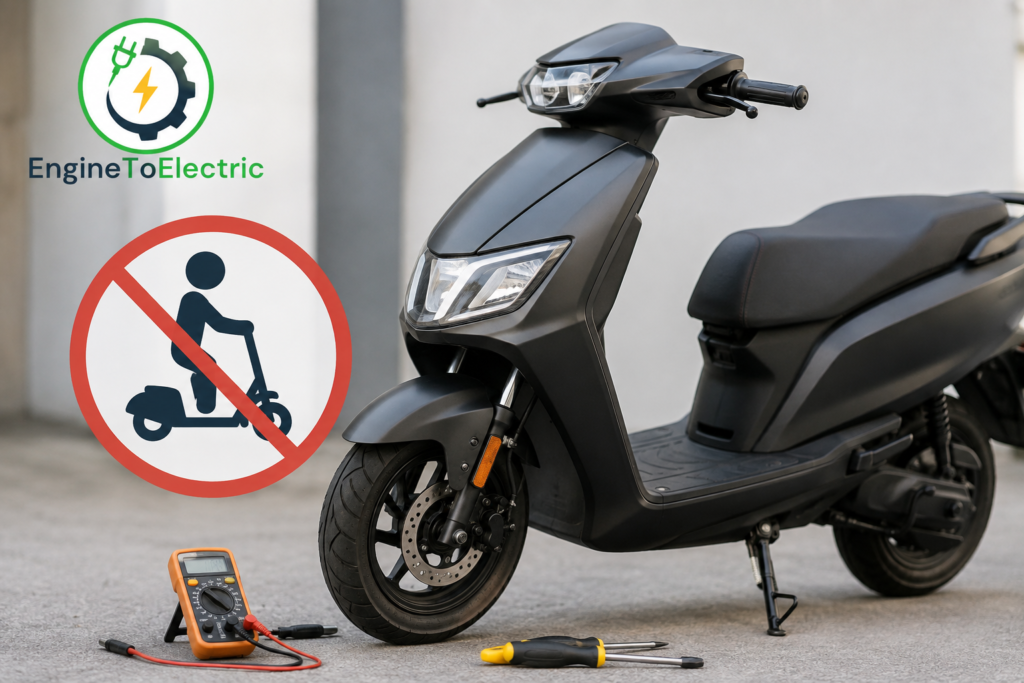
An electric scooter that turns on normally but does not move when you use the accelerator can be confusing. The display may show the battery level, lights may work, and the scooter may appear completely normal. However, switching on the scooter only confirms that some of its electrical systems are receiving power. It does not mean that the motor, throttle, controller, or safety system is working correctly.
The good news is that this problem does not always mean the motor or battery has failed. In many cases, a simple safety setting, brake sensor, throttle problem, or loose connection is responsible.
Brake Sensor Is Still Activated
One of the first things to check is the brake lever. Many electric scooters have a brake cut-off sensor that tells the controller to stop motor power whenever the brake is applied.
If the sensor becomes stuck, damaged, or incorrectly positioned, the scooter may think you are continuously braking. As a result, the display stays on but the motor does not respond to the accelerator.
Release both brake levers completely and check whether either lever feels unusually tight or does not return to its normal position. Also look for a brake warning symbol on the display.
Do not permanently bypass the brake safety sensor. It is designed to prevent unwanted acceleration.
The Scooter Needs a Push Before Acceleration
Some electric scooters use a zero-start or kick-start setting. With a kick-start configuration, the motor will not engage while the scooter is completely stationary.
Try moving the scooter forward gently with your foot and then apply the accelerator, provided this is the normal operating procedure for your model. If it starts moving after a small push, there may be nothing wrong with the motor.
This setting is often used as a safety feature to prevent accidental acceleration while the scooter is stationary.
Throttle or Accelerator Problem
The throttle is responsible for sending the acceleration command to the controller. If the throttle sensor fails, its connector becomes loose, or the cable is damaged, the scooter can remain completely stationary even though the display works.
Look at the throttle carefully. It should move smoothly and return to its normal position when released. Check for a damaged cable, loose connection, or signs that the throttle was damaged after a fall.
Do not immediately replace the throttle just because the scooter does not move. A brake sensor or controller problem can produce a very similar symptom.
Side-Stand or Other Safety Lockout
Some electric scooters use safety interlocks that prevent motor operation when certain conditions are not satisfied. Depending on the model, this can include a side-stand switch, security lock, parking mode, or another safety condition.
Make sure the side stand is completely raised and check the instrument panel for a warning or lock symbol. Some scooters can also be locked through their connected smartphone app.
Because safety systems differ between manufacturers, check the operating instructions for your particular scooter before assuming a component has failed.
Low Battery or Battery Protection
A scooter can sometimes turn on even when the battery cannot provide enough power to operate the motor properly. A working display does not automatically prove that the battery is healthy.
If the battery is extremely low, has a problem with its battery-management system, or experiences excessive voltage drop under load, the controller may prevent motor operation.
If the scooter shows a very low battery level, charge it using the manufacturer-approved charger and try again after charging is complete.
Do not open the battery pack yourself. Lithium-ion battery packs can be dangerous if damaged or incorrectly handled.
Controller Problem
The controller is an important part of the scooter’s drive system. It receives information from the throttle and safety sensors and controls the electrical power sent to the motor.
If the controller has failed, overheated, suffered water damage, or developed a wiring or communication problem, the scooter may turn on while the motor remains inactive.
A controller problem becomes more likely if the scooter stopped working after heavy rain, overheating, an accident, or electrical damage.
If you notice a burning smell, melted wiring, smoke, sparks, or unusual heat, stop using the scooter and have it inspected.
Loose or Damaged Motor Cable
The motor needs a connection between the motor and controller. A loose, damaged, pinched, or corroded cable can interrupt communication or power delivery.
This can happen after an accident, transportation, repeated vibration, or work around the scooter.
With the scooter switched off, visually inspect accessible wiring around the motor and frame. Do not force electrical connectors or open high-voltage components just to investigate the problem.
Motor or Hall Sensor Fault
If the throttle and safety systems appear normal but the motor still does not respond, the motor itself or its position sensors may be involved.
Many electric scooter hub motors use Hall sensors to help the controller determine the motor’s position. A sensor or internal motor wiring fault can prevent proper motor operation.
A professional technician can test these components rather than replacing the complete motor unnecessarily.
Error Code on the Display
Always check the display before replacing any component.
An error code, warning symbol, or flashing indicator may point toward a problem involving the throttle, brake system, motor, controller, battery, or communication system. However, error codes are not universal. The same code can mean different things on different scooter models.
Write down the exact code and check it against the manual for your specific scooter.
What Should You Check First?
If your electric scooter starts but does not move, follow the simple checks in this order:
- Make sure the scooter is unlocked and in the correct riding mode.
- Raise the side stand completely.
- Release both brake levers.
- Check whether your scooter requires a push before acceleration.
- Check the throttle for smooth movement and visible cable damage.
- Look for an error code or warning symbol.
- Check the battery level and charge the scooter if necessary.
- Inspect accessible motor and wiring connections for obvious damage.
- If the problem remains, contact the manufacturer’s service centre or a qualified EV technician.
When You Should Stop Troubleshooting
Do not continue experimenting if you notice smoke, sparks, a burning smell, battery swelling, melted connectors, water inside electrical components, or unusually high battery/controller temperature.
Also avoid opening the battery pack or randomly replacing the controller, motor, or wiring. These parts can be expensive, and replacing the wrong component may not solve the actual problem.
Finally
An electric scooter that starts but does not move is not necessarily suffering from a major motor or battery failure. The first things to check are the brake cut-off sensor, riding mode, side-stand or security lockout, kick-start setting, throttle, and error messages. After these simple checks, the investigation can move toward the battery, controller, motor wiring, and motor sensors.
The most important lesson is simple: do not replace expensive parts based only on the symptom. Find where the motor command is being stopped first. This approach can save money and helps prevent unnecessary repairs.